

The best popup maker for WordPress can help you turn your visitors into your email subscribers and potentially improve conversion rates.
However, many feel that popups are intrusive, annoying, and bad for the customer experience.
The opinions are divided.
This is where WordPress popup makers come into play, as they specialize in creating high-converting popups without driving your users crazy.
In this article, I’ll list down 8 of the best popup makers for WordPress that will help you create irresistible website popups and improve conversions.
Here’s what this post sums up:
- The best WordPress popup makers combine exit-intent technology, behavioral triggers, and A/B testing to maximize conversions.
- Exit-intent popups can recover abandoned visitors when triggered correctly.
- Look for GDPR/CCPA compliance, mobile responsiveness, and seamless email marketing integrations (Klaviyo, Mailchimp) to improve workflow and increase conversion rates.
What Are the 8 Best Popup Maker Plugins for WordPress?
There are hundreds of popup tool solutions at your disposal when it comes to WordPress popup makers. I’ve carefully picked 8 of the best popup makers for WordPress that you can use to create amazing popups for your WordPress website.
| Tools | Best For | Pricing | G2/Capterra Rating |
|---|---|---|---|
| Picreel | Boosting Leads, Conversions, and Sales | Forever free up to 5k visitors. Paid starts at $9.99/month | 4.6/5 (G2) |
| Hubspot | Lead Capture Forms | Starts at $800/month | 4.4/5 (G2) |
| OptinMonster | Geolocation Targeting | Starts at $9/month | 4.3/5 (G2) |
| Poptin | Creating and Optimizing Engaging Pop-ups | Starts at $20/month | 4.6/5 (Capterra) |
| Sumo | Growing Your Email List | Starts at $39/month | 4.2/5 (G2) |
| Thrive Leads | Maximizing Lead Generation | Starts at $299/year | 4.5/5 (Capterra) |
| Wisepops | Creating and Displaying Targeted Pop-ups | Starts at $79/month | 4.5/5 (G2) |
| OptiMonk | Capturing Leads | Starts at $39/month | 4.8/5 (G2) |
1. Picreel – Best for Boosting Leads, Conversions, and Sales
From my experience, I can confidently say that Picreel is one of the best WordPress popup plugins in the market. It has gained a reputation for its exceptional exit intent technology, user-friendly interface, AI popup creation and impressive range of popup builder features.
With this popup creator, you have the power to target visitors with captivating popups and entice them with irresistible offers in exchange for their valuable contact details. It’s one of the best when it comes to lead generation campaigns.
This popup creator offers a wide selection of over 100 popup design templates that make creating eye-catching popups super easy. Whether you need newsletter popups, exit surveys, lead capture forms, or more, Picreel has got you covered.
Picreel also allows you to set up A/B tests to determine the most effective popup variations and provides built-in reports for in-depth analysis. This level of insight will help you refine your popups, improve conversions by 300%, and supercharge your outreach campaigns.
Pros:
- Intuitive popup builder for effortless customization
- Wide range of 100+ professionally designed and mobile responsive popup templates
- Comprehensive reports and analytics for insights and evaluation
- Targeted popup triggers and targeting options for precise audience engagement
- Exit intent overlays to engage prospects on your website
- Effective opt-in popups to collect email addresses
Cons:
- It could use some industry-specific templates
- The analytics dashboard needs more custom fields
G2/Capterra Rating: 4.6/5 on G2
Pricing: Forever free up to 5k visitors. Paid starts at $9.99/month
2. HubSpot – Best for Lead Capture Forms
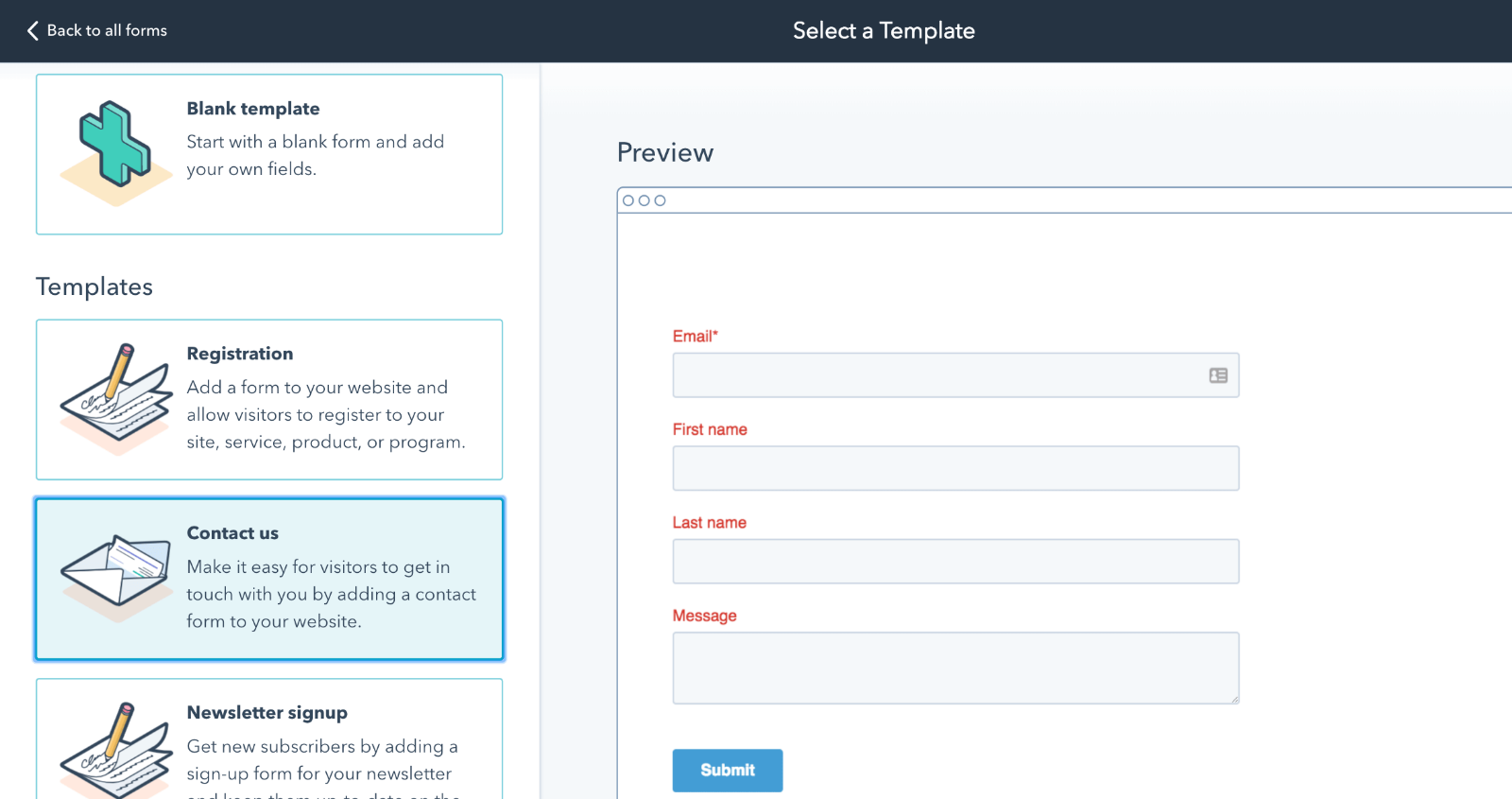
HubSpot makes creating popups for WordPress and deployment on WordPress websites completely seamless. Hubspot popup builder is extremely intuitive, and any changes you make on the popup tool are automatically synced to your website with the help of the native plugin.
Using HubSpot, here’s what I found in it.
It can help businesses increase the percentage of website visitors who complete specific actions, ultimately generating more leads.
One of the prominent features is its lead capture forms. These forms play a crucial role in converting website visitors into leads.
HubSpot provides a simple interface to create and customize lead capture forms. You can easily embed these forms on landing pages and throughout your website.
Pros:
- Most of the things users need reside in one place
- The search bar makes it easy to find everything as it always points users in the right direction.
- All the possible automation and the ease of implementation are some of the best parts of the tool.
- Its to-the-point or straightforward approach makes the user experience seamless
- Remarkable analytics to refine strategies and achieve desired results.
Cons:
- Some of the features HubSpot leaves out to compel users to move up the product line can be frustrating at times.
- The high price can be a downside for some users.
G2/Capterra Rating: 4.4/5 on G2
Price: Starts at $800/month.
3. OptinMonster – Best for Geolocation Targeting
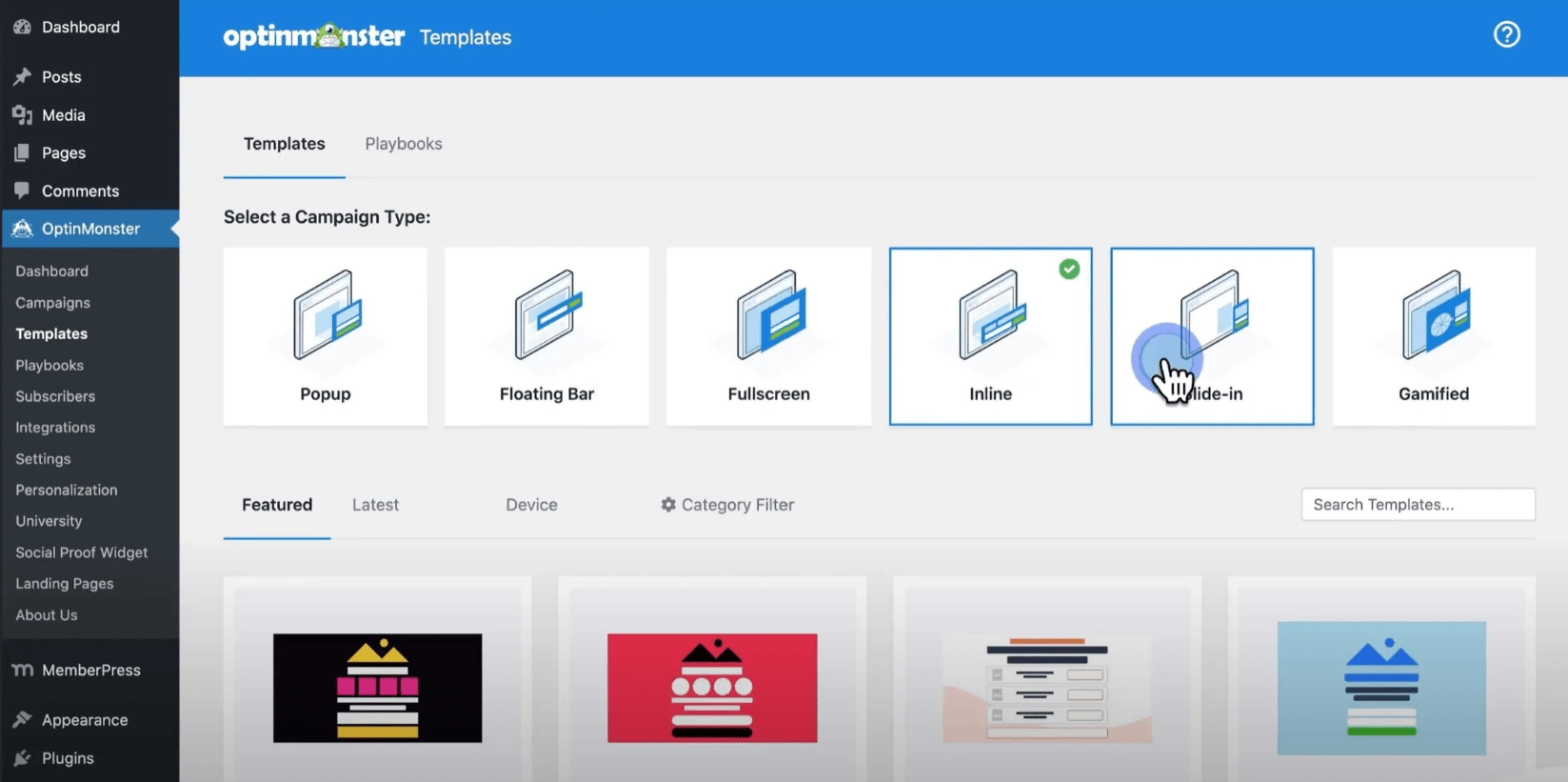
OptinMonster is a powerful lead online popup builder and lead generation tool that is used by millions of website owners all over the world to create popups for WordPress.
The software comes with an extensive selection of templates, allowing you to customize your popups easily. It also provides features like A/B testing, a content locker to restrict access until an action is taken, and countdown timers to create a sense of urgency.
The reason I used OptinMonster extensively was because of its robust targeting options. You can target specific audiences based on factors like geographical location, referrals, cookies, click triggers, and more.
Pros:
- Built-in conversion analytics provide valuable insights into campaign performance
- Onsite retargeting features enhance user engagement on your website
- Advanced page-level targeting allows for personalized campaigns tailored to specific website sections
- Smart campaign triggers automate the delivery of timely and relevant messaging
- Mobile-friendly forms optimize the user experience for mobile device users
Cons:
- Templates are not very customizable
- The reporting system lacks depth
G2/Capterra Rating: 4.3/5 on G2
Pricing: Starts at $9/month
4. Poptin – Best for Creating and Optimizing Engaging Pop-ups
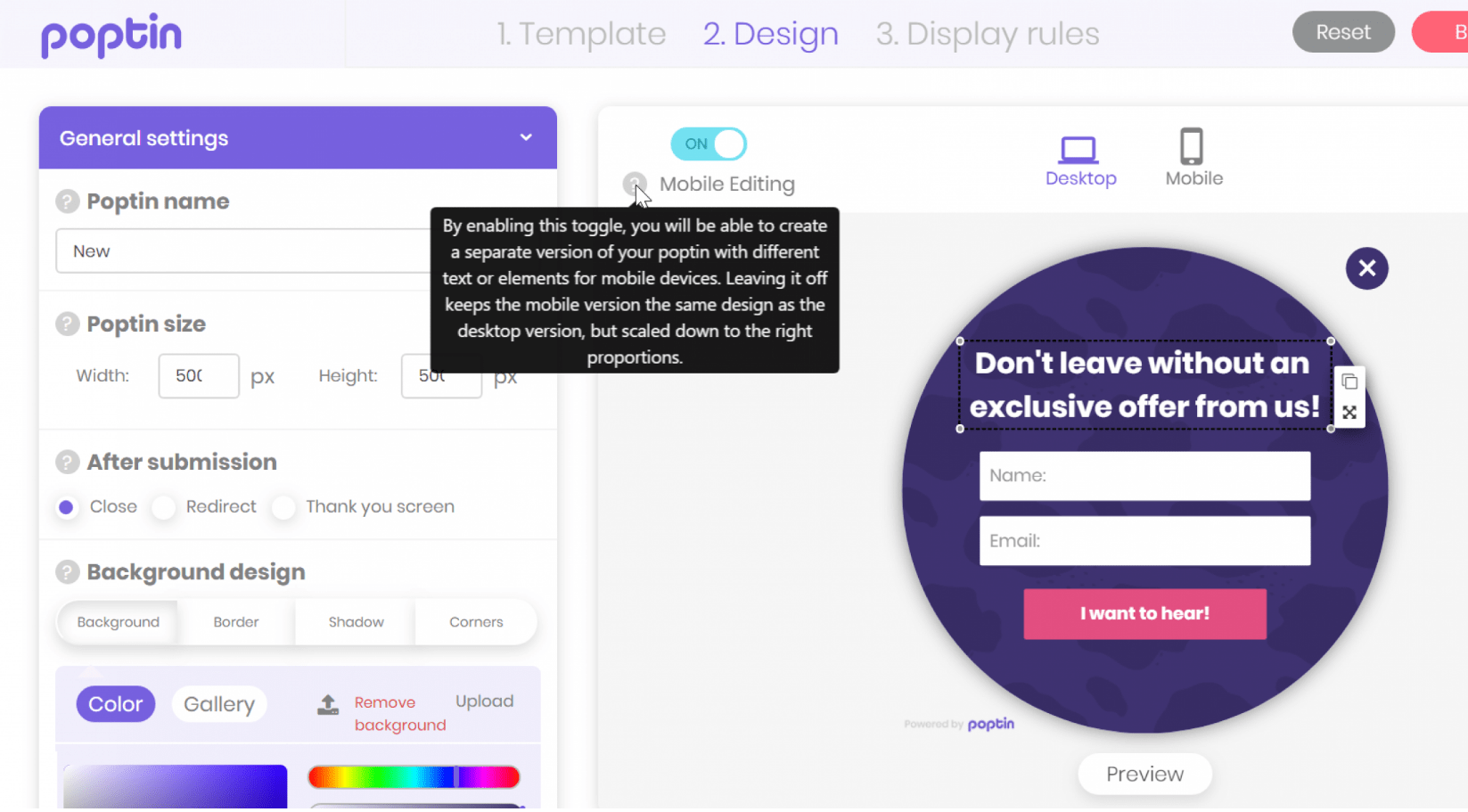
Poptin is a free WordPress popup creator tool that is used by marketers, website owners, and digital agencies all over the world.
One of the most amazing features of Poptin is its user-friendly drag-and-drop editor to customize your preferred templates and forms. Even if you’re not a design expert, Poptin’s editor makes it simple to create visually appealing templates.
To make your templates even more attractive, Poptin provides an elements section with interactive and engaging components to help you capture your visitors’ attention effectively and encourage them to take the desired action.
While Poptin is relatively new, it’s worth noting that it’s regularly updated. It means you can expect ongoing improvements and enhancements to the tool’s capabilities and features.
Pros:
- Straightforward editor with versatile customization choices
- Intuitive drag-and-drop functionality for effortless design
- Multiple types of website popups to suit diverse needs
- Excellent A/B testing and analytics for data-driven optimization
- Advanced targeting options for precise audience engagement
Cons:
- The analytics doesn’t offer in-depth of insights
- The template selection is more limited compared to some competitors
G2/Capterra Rating: 4.6/5 on Capterra
Price: Starts at $20/month
5. Sumo – Best for Growing Your Email List
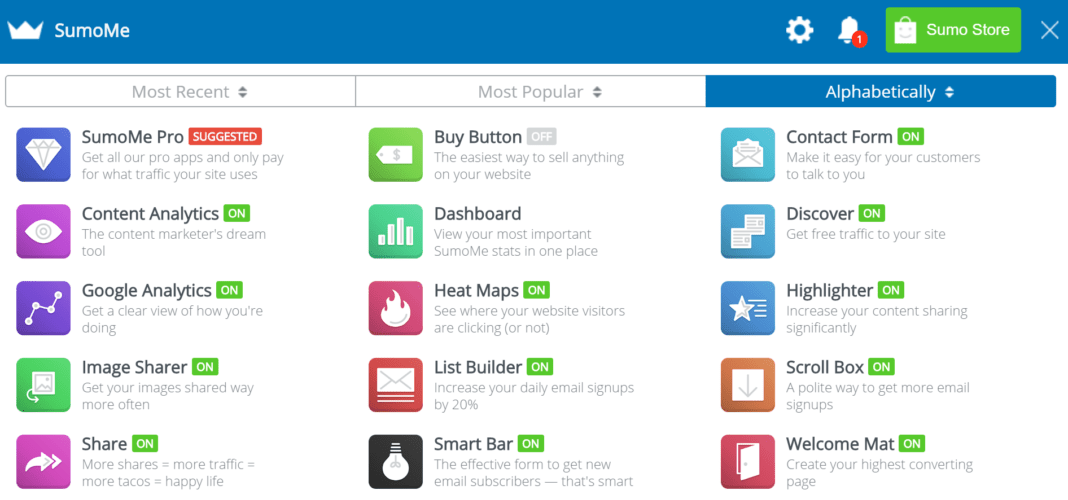
Sumo is another very popular B2B lead generation tool that offers a user-friendly interface and an intuitive popup creator to help users grow their mailing lists quickly. With Sumo, you can create highly targeted WordPress popup forms, smart bars, welcome bars, and surveys to improve customer engagement.
What I like about Sumo is its generous library of pre-designed popups, coupled with an interactive drag-and-drop builder. These features made it easy for me to kickstart lead-generation campaigns on my websites and steadily grow the mailing lists.
While Sumo may not have an abundance of advanced features and tools like some other platforms, it does offer a well-rounded suite of eCommerce capabilities.
It also seamlessly integrates with email applications like MailChimp, which is a huge plus for managing and nurturing your leads. Sumo also includes social sharing options, allowing you to extend the reach of your campaigns through various channels.
Pros:
- User-friendly and straightforward for effortless navigation
- Plugins for WordPress and Google tag Manager
- A variety of popup designs and templates
- Fully responsive and speedy performance for enhanced user experience
- Comprehensive customization tools for tailoring popups
- Features A/B testing and in-depth analytics for data-driven decisions
Cons:
- It is a complex tool that requires a lot of configuration and customization to get the most out of it
- It may slow down your website loading speed with multiple active popups or widgets
G2/Capterra Rating: 4.2/5 on G2
Price: Starts at $39/month
6. Thrive Leads – Best for Maximizing Lead Generation
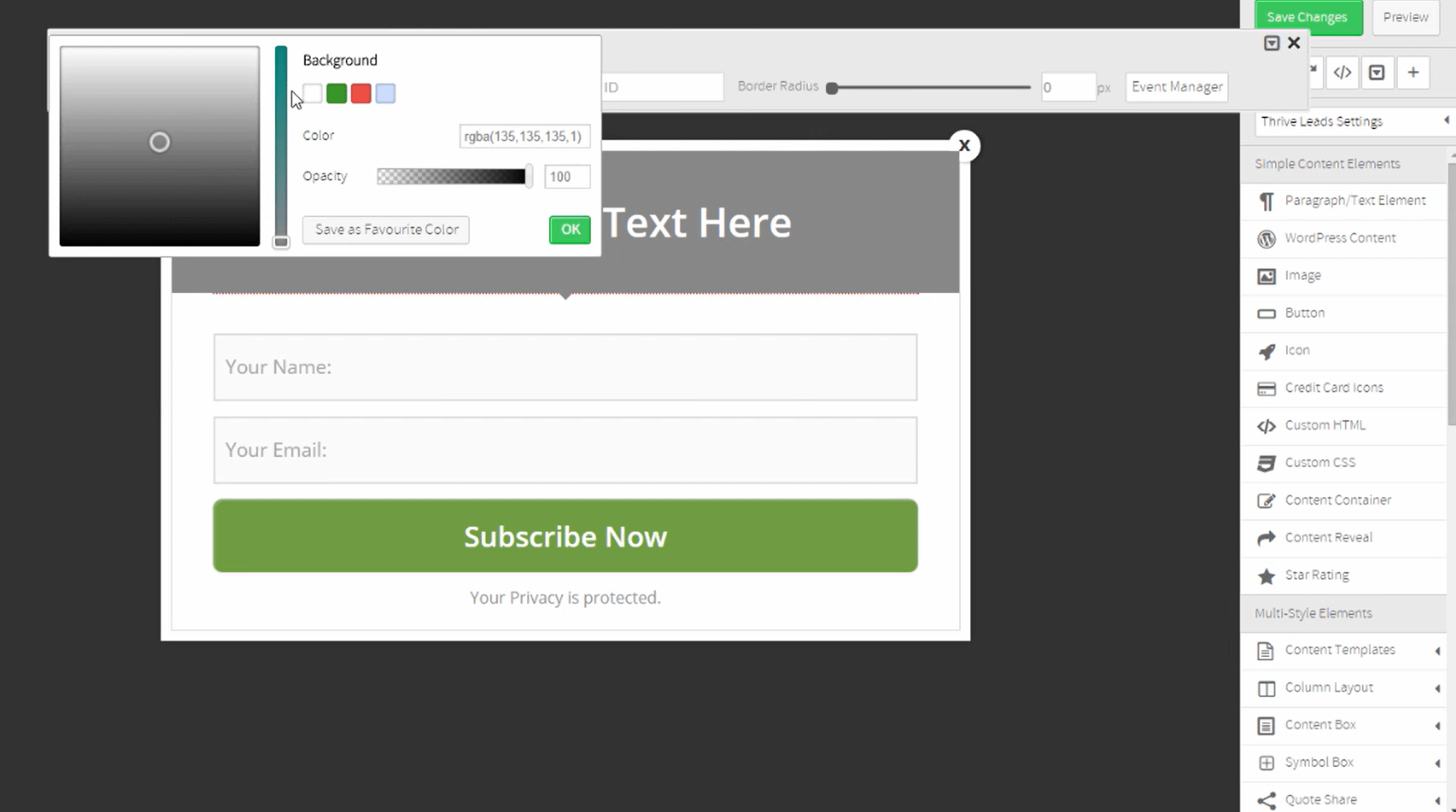
Thrive Leads is another extremely popular WordPress popup builder plugin that offers built-in popup templates that you can pair with the intuitive popup creator to create beautiful popups.
It also has a wide variety of opt-in forms and popups, and the best part is that they’re fully responsive and load lightning-fast. That means you won’t have to worry about your website’s performance suffering due to slow-loading forms.
What I think sets this tool apart is its robust reporting system that gives you detailed and actionable insights into how your opt-in forms are performing. It includes the conversion rates, impressions, and growth of your list for each form, group, or campaign and more.
Thrive Leads is part of the Thrive Suite, which means you can access a range of web development tools, including a theme builder, a landing page builder, and much more.
Pros:
- Highly intelligent targeting tools for precise engagement
- User-friendly drag-and-drop form builder for effortless customization
- An extensive array of templates to cater to diverse needs
- Complete responsiveness across devices for seamless user experience
- A/B testing engine for effective optimization
- Actionable reporting and analytics to inform data-driven decisions
Cons:
- The reporting system is very slow and buggy
- Some of the templates look outdated or unprofessional
G2/Capterra Rating: 4.5/5 on Capterra
Price: Starts at $299/year
7. Wisepops – Best for Creating and Displaying Targeted Pop-ups
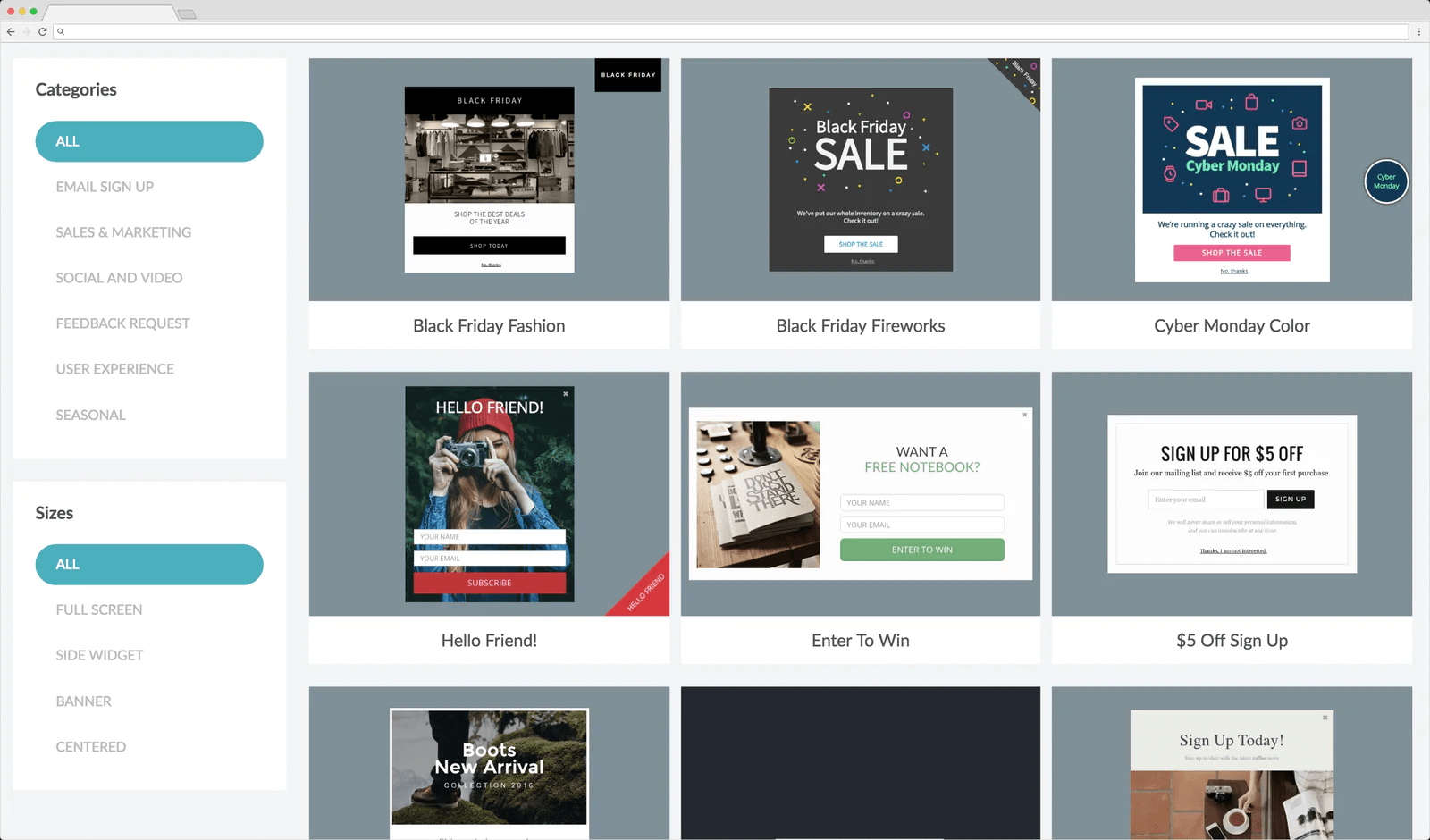
I’ve recently come across Wisepops, an innovative popup tool offering various features to help you create appealing and contextually relevant popups, bars, and banners.
It simplifies creating custom fields for capturing crucial information, such as names, email addresses, phone numbers, preferences, and more. This flexibility ensures you can tailor your popups to collect the precise data you need to drive your marketing efforts.
Pros:
- User-friendly drag-and-drop popup editor for effortless design
- Rich selection of over 50 popup templates to suit various needs
- Effective targeting options to reach your desired audience effectively
- A/B testing for optimizing campaign performance
- Seamless integration with 30+ email marketing, CRM, and CMS platforms like Klaviyo, Shopify, Segment, and more
Cons:
- It is more focused on email campaigns, which may not suit all types of online businesses or goals
- It has a limited number of integrations with other platforms and tools
G2/Capterra Rating: 4.5/5 on G2
Price: Starts at $79/month
8. OptiMonk – Best for Capturing Leads
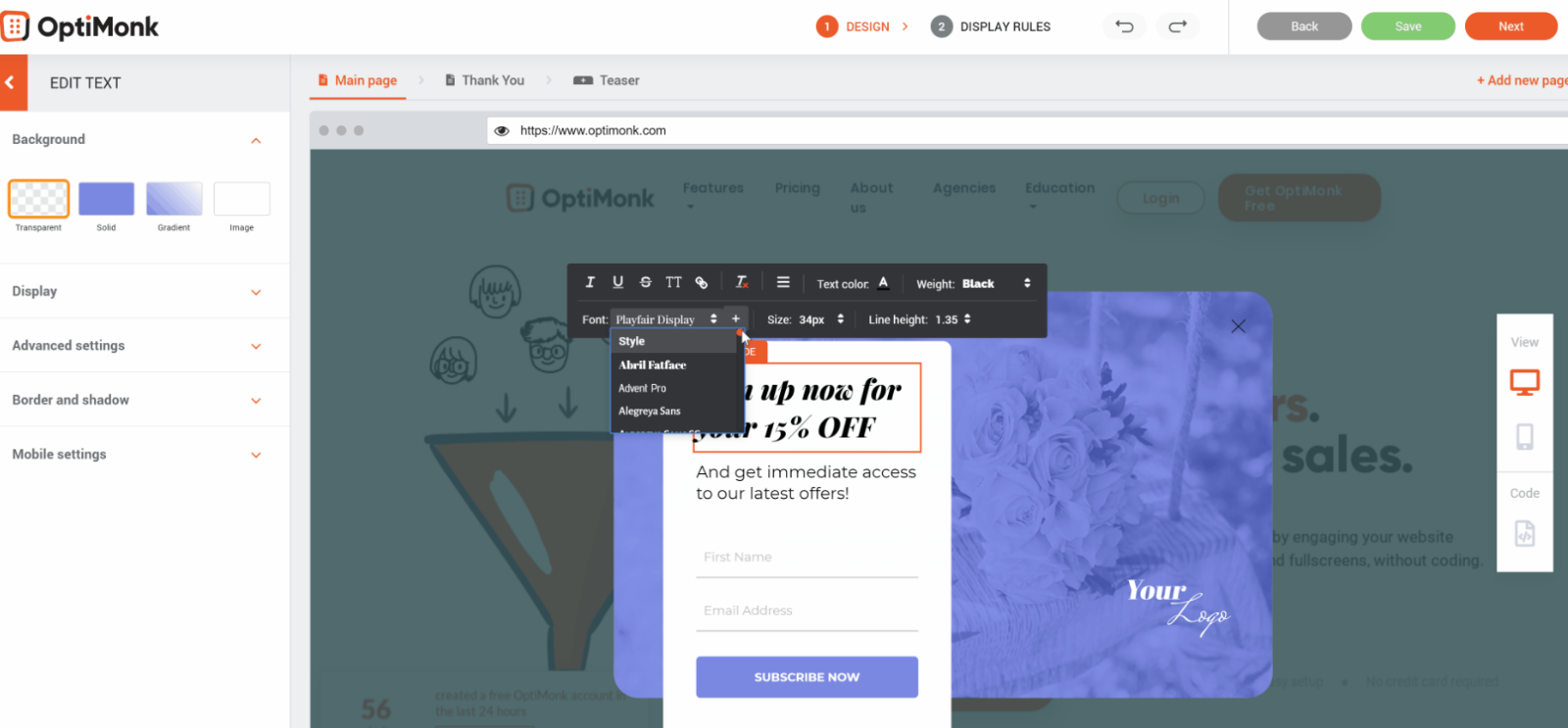
OptiMonk is a useful tool for growing your email list. With OptiMonk, you can implement engaging features like encouraging social media shares, showcasing specific products, and presenting products in a gallery view to make the experience more enjoyable for your visitors.
I like that it includes various list-building features such as lightbox popups, a spin-to-win game, and slide-ins to capture attention effectively.
Its smart targeting system also needs to be mentioned here. It allows you to categorize your visitors, tailoring your communication to their preferences.
Also, it’s worth noting that OptiMonk seamlessly integrates with major email marketing services, making it a valuable addition to enhance your online business’s success and user experience.
Pros:
- Trigger popups based on scroll activity for precise engagement.
- Effortlessly design visually appealing popups with the drag-and-drop editor.
- Easily integrate with popular email marketing platforms for seamless data synchronization.
- Choose from a variety of stunning popup templates to create eye-catching designs.
- Conduct A/B testing to optimize popups for maximum conversion.
Cons:
- Lacks direct integrations with some CRM tools.
- Editor can be clunky at times.
G2/Capterra Rating: 4.8/5 on G2
Pricing: Starts at $39/month
What Features Should a High-Converting WordPress Popup Plugin Have?
Here’s what makes a popup creator plugin stand out from the rest:
1. Advanced Behavioral Triggers
The timing of your popup is just as important as its design. I recommend looking for plugins that support:
- Exit-Intent Technology: This detects when a visitor’s cursor moves toward the browser’s close button, triggering a popup to recover 8–12% of abandoning visitors.
- Scroll-Triggered Popups: These show offers after a user has scrolled 30–50% of a page, ensuring they’re engaged with your content.
- Timed Delays: This option shows popups after 8–10 seconds to avoid immediate disruption and reduce bounce rates.
- Click Triggers: Popups that activate when a user clicks a specific element, link, or button.
2. Speed and SEO Optimization
Popups can affect your Google Core Web Vitals if not implemented carefully. Make sure to prioritize plugins that:
- Load scripts in deferred mode so they don’t block the main thread or delay the initial page render.
- Use lightweight assets like compressed images, SVGs for logos, and inherited fonts rather than loading new web fonts.
- Avoid injecting content that shifts layout (CLS) before the page finishes loading.
3. Personalization and AI-Powered Targeting
Modern WordPress popup maker tools should go beyond simple timing rules:
- AI-powered purchase intent prediction to show the right offer to the right visitor.
- Contextual targeting based on referral source (Google vs. Facebook), geolocation, or cart content.
- Segmentation by user behavior, visit history, and page-level context.
4. Conversion-Focused Design Elements
Here’s what really grabs attention:
- Gamification: Spin-to-win wheels and interactive elements can significantly boost engagement.
- Social Proof: Displaying testimonials or subscriber counts within the popup builds trust.
- Multi-Step Forms: Breaking down information requests into digestible steps can increase completion rates by up to 86%.
- Ethical Countdown Timers: Creating urgency for limited-time offers without deceiving users.
5. UX, Compliance, and Mobile Optimization
For popups to be effective, they need to work across devices:
- Fully responsive designs that comply with Google’s mobile interstitial guidelines.
- Clear ‘X’ or ‘No thanks’ exit options on all popups to reduce frustration.
- GDPR and CCPA compliance features, including privacy policy links and opt-out flows.
Which Is the Best Popup Maker for WordPress?
Here are my top 3 picks if you’re looking for the best popup maker for wordpress. You can explore the entire list of tools for more options.
Option #1 – Picreel
Picreel excels at exit pop-ups. Using it, you can create striking exit-intent pop-ups that engage the target audience and boost conversions on your WordPress website. The tool fares equally well in user-friendliness, customizability, and advanced targeting options. Likewise, its analytics and A/B testing features can help you fine-tune your exit pop-ups for optimal results.
Option #2 – OptiMonk
Optimonk, a top-tier popup maker for WordPress, provides users with a robust feature set for streamlined lead capture and list expansion. Its user-friendly, drag-and-drop editor facilitates the creation of engaging popups, scroll boxes, and interactive gamified forms to reach and captivate website visitors effectively.
Option #3 – Sleeknote
Sleeknote specializes in gamified popups. It enables you to create popups simply by choosing a template and customizing it. You can choose how to trigger the popups and send targeted messages to specific audience segments. The tool also provides detailed analytics to track the performance of the popups.
All three tools provide extensive features and functionalities that cater to different aspects of WordPress popups. Nonetheless, you must consider individual preferences and specific requirements to determine which tool best fits your unique needs.
What to Look for in a Popup Maker?
The evaluation of products or tools chosen for this article follows an unbiased, systematic approach that ensures a fair, insightful, and well-rounded review. This method employs six key factors:
- User Reviews / Ratings: Direct experiences from users, including ratings and feedback from reputable sites, provide a ground-level perspective. This feedback is critical in understanding overall satisfaction and potential problems.
- Essential Features & Functionality: The value of a product is ascertained by its core popup builder features and overall functionality in a WordPress popup maker plugin. Through an in-depth exploration of these aspects, the practical usefulness and effectiveness of the tools are carefully evaluated.
- Ease of Use: The user-friendliness of a product or service is assessed, focusing on the design, interface, and navigation. It ensures a positive experience for users of all levels of expertise.
- Customer Support: The quality of customer support is examined, taking into account its efficiency and how well it supports users in different phases – setting up, addressing concerns, and resolving operational issues.
- Value for Money: Value for money is evaluated by comparing the quality, performance, and popup builder features. The goal is to help the reader understand whether they would be getting their money’s worth.
- Personal Experience / Experts’ Opinions: This part of the evaluation criteria draws insightful observations from the writer’s personal experience and the opinions of industry experts.
FREE. All Features. FOREVER!
Try our Forever FREE account with all premium features!
How Do Behavioral Triggers Work in WordPress Popup Plugins?
Behavioral triggers are the rules that determine when, where, and to whom a popup is displayed when using a popup maker WordPress plugin. Here’s how the most effective trigger types work in practice:
- Exit-Intent: This trigger uses a JavaScript listener that tracks the mouse cursor’s speed and direction. When it detects the cursor rapidly moving toward the top of the browser window — a sign the user is about to close the tab or click the back button — the popup fires. Studies show this can recover 53% of abandoned carts.
- Scroll Depth: The plugin tracks how far a user has scrolled on the page. Displaying an offer after 30–50% of the page is viewed ensures the visitor has already engaged with your content, making them more likely to respond to the popup.
- Time-on-Page Delay: A timer starts when the page loads. After a set time (usually around 8–10 seconds), the targeted popup triggers. This strategy avoids disrupting users immediately upon landing on the page while still capturing more engaged visitors.
- Click Triggers: Specific elements like a button, link, or image are set to open a popup when clicked. This is especially useful for two-step opt-ins, where the user actively chooses to engage with the popup.
- Cart Abandonment Triggers: For WooCommerce stores, these triggers activate when a user with items in their cart shows exit intent. This helps recover high-intent shoppers right before they leave.
By using these triggers, WordPress popup plugins can effectively capture attention and boost conversions without being intrusive.
How Do You Optimize Popup Timing for Higher Conversions?
Timing is one of the most important factors in popup performance when working with a popup maker WordPress plugin. According to Conversion Rate Optimization (CRO) experts, here are some principles that can help improve results:
- Match Trigger Delay to Content Depth: For long-form blog posts, try triggering the popup after the user has scrolled 50% of the page. For landing pages, exit-intent popups work best since they target users about to leave.
- Avoid Showing Popups to Returning Visitors: If a visitor has already subscribed, don’t show them the popup again. Use cookie-based suppression rules to prevent this.
- Test Multiple Timing Variants: A/B test different timing delays (e.g., 5 seconds vs. 15 seconds) to find the optimal delay for your audience. You will notice that a longer delay leads to higher engagement. In fact, an 8-second delay increases conversions by 35%.
- Combine Triggers: Try combining triggers for better results. For example, an exit-intent popup that only shows after the user has scrolled 30% or more of the page ensures you target visitors with higher intent.
- Frequency Capping: Limit how often the same visitor sees a popup. For example, showing a popup no more than once every 7 days can reduce frustration and improve the user experience.
Elevate Your Website’s Performance with Effective Popups
Selecting the right popup maker for WordPress can significantly enhance your website’s lead generation and conversion rates. Look for plugins with advanced behavioral triggers, easy customization, and robust targeting options.
Tools like Picreel, known for its exceptional exit-intent technology, offer significant value and high conversion potential. It solves all your questions to “how to make a popup in wordpress” and stands out for its easy-to-use interface and effective audience engagement features.
Remember to consider factors such as mobile optimization, GDPR compliance, and seamless integrations with your email marketing tools when choosing a plugin. Take the time to experiment with A/B testing and behavioral triggers to find what works best for your audience.
Ready to optimize your conversions? Explore your popup maker online platform options and see how a popup tool can elevate your strategy.
Frequently Asked Questions

How Do WordPress Popup Plugins Affect Website Speed and SEO?
Popup plugins can impact Core Web Vitals if not implemented carefully. The best plugins load scripts in deferred mode, use lightweight assets, and avoid layout shifts (CLS). Always check whether a plugin offers performance-optimized loading before installing.
How Do Popup Plugins Integrate with Email Marketing Tools Like Klaviyo?
Most modern popup plugins like Picreel integrate with email marketing tools via native connections or Zapier/Make.
What Are the Best Trigger Types for WordPress Popups?
Exit-intent triggers are the most effective for recovering abandoning visitors. Scroll-depth triggers (30–50%) work best for content-heavy pages. Timed delays (8–10 seconds) suit landing pages. Click triggers are ideal for two-step opt-in sequences.
Are WordPress Popup Plugins GDPR Compliant?
Most reputable popup plugins include GDPR compliance features such as opt-in checkboxes, privacy policy links, and cookie consent management. Always verify that your chosen plugin includes these features and test them before launching campaigns in the EU.
How to Optimize Popup Timing for Higher Conversions?
Test different delay intervals (5 seconds vs. 15 seconds) using A/B testing. Combine trigger types — for example, exit-intent + 30% scroll depth — to ensure the popup only appears to genuinely engaged visitors. Use frequency capping to limit repeat exposures and cookie suppression to avoid showing popups to existing subscribers.
FREE. All Features. FOREVER!
Try our Forever FREE account with all premium features!

 We'd love your feedback!
What did you like & how can we make it even better?
 Thanks for your feedback!
 Ask Your Question
Have a question? Get expert help to make your decision easier.